Practice: Grouping assets
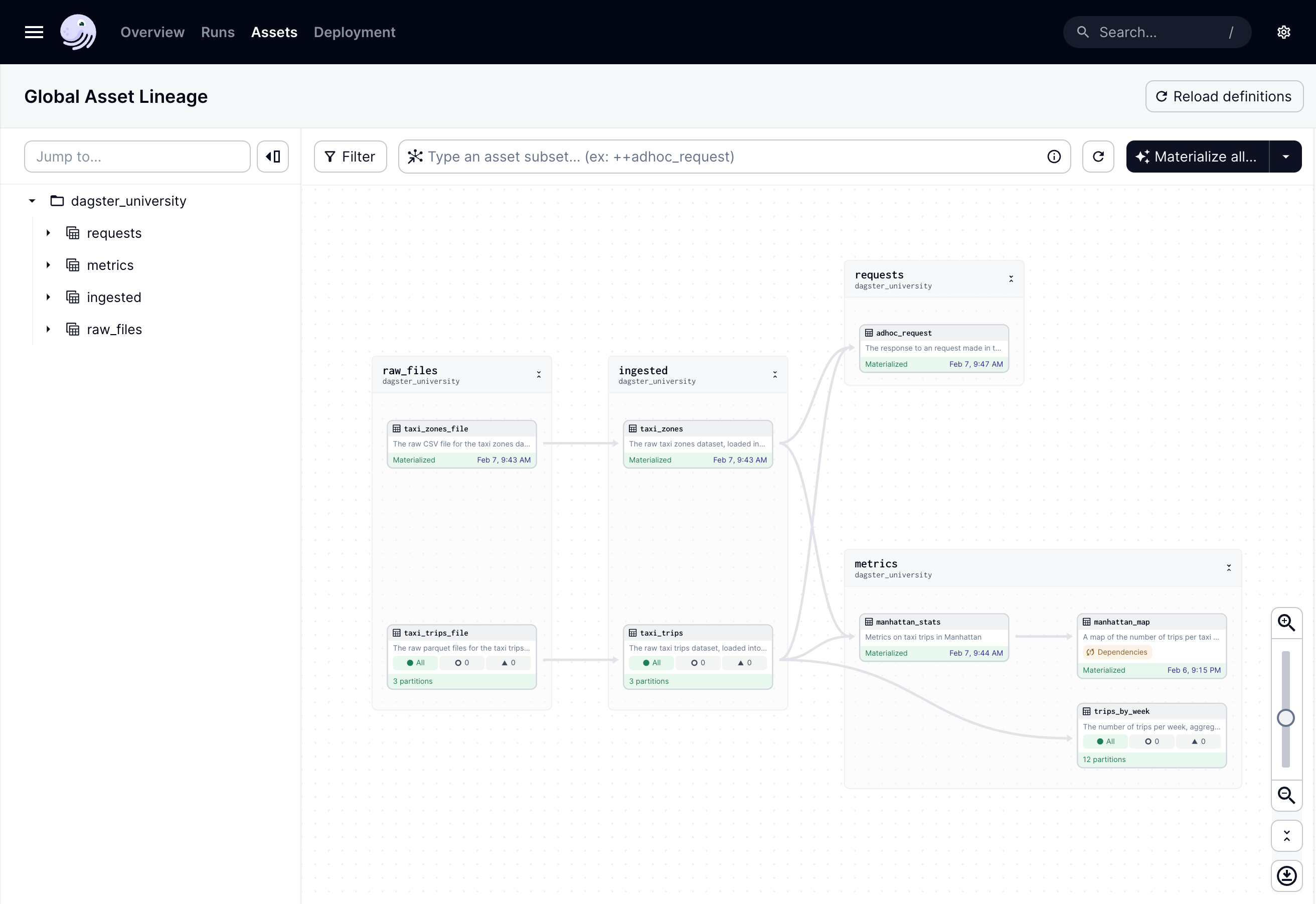
To practice what you’ve learned about asset groups, organize the assets in your project by:
- Using the asset decorator method to:
- Add
taxi_trips_fileto theraw_filesgroup - Add the
taxi_zonesandtaxi_tripsassets to aningestedgroup - Add the
adhoc_requestasset to arequestsgroup
- Add
Check your work
The asset groups you built should look similar to the code contained in the View answer toggle. Click to open it.
For the asset decorator method:
For the assets in the raw_files and ingested groups, your assets should look like this:
@dg.asset(
    group_name="GROUP_NAME"
)
def name_of_asset():
The Dagster UI:
After adding the assets to the groups, the asset graph should look like this: