Modifying our project
The dbt Component and models are in place, but the project isn't quite right yet. The dbt assets aren't connected to the raw assets in the graph, they're not organized into a group, and we don't have any data quality checks. Each of these is a follow-up prompt, and this is a good opportunity to practice skill chaining: some of these tasks are Dagster wiring, and one is dbt-specific work.
Connect dbt assets to the raw assets
The most important fix is wiring the dependency: dbt models should only materialize after the raw assets have run. Without this connection, Dagster doesn't know the order things need to happen in. Ask the skill to make the connection:
/dagster-expert Connect the dbt assets to the raw assets.
The agent updates the asset graph so the dbt staging models depend on the corresponding raw assets. After this change, materializing stg_customers will automatically trigger raw_customers first if it's stale. That's the lineage working as intended.
Set a group name for dbt assets
With multiple layers of assets in the catalog (raw tables, staging models, a facts table, eventually an S3 export), organization matters. Putting the dbt-derived assets in a transformation group makes the asset graph easier to read and the catalog easier to navigate:
/dagster-expert The dbt assets should have a group name of "transformation".
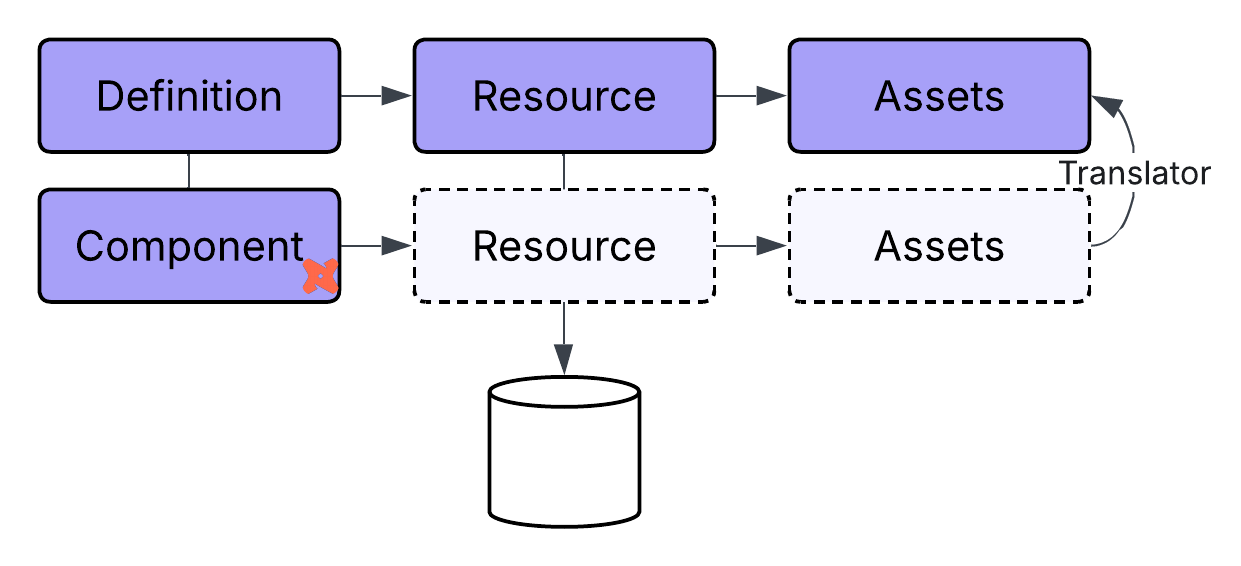
The agent updates the Component configuration. With YAML-based config, this typically means adding a translation block that sets the group name for all assets produced by the Component:
attributes:
  project: '{{ context.project_root }}/dbt_project'
  translation:
    group_name: transformation
Once applied, all dbt assets appear under the transformation group in the Dagster UI, visually separated from the raw ingestion layer.
Extend the dbt project
With our dbt project successfully configured in Dagster we can work on the dbt project directly. At this point changes in the dbt project will be automatically reflected in Dagster.
The dbt skill activates automatically when your prompt is clearly about dbt work -- model SQL, schema.yml, dbt tests -- so there's no slash command to prefix. Just describe what you want.
Let's add another model that uses the data from our staging models.
Add a new dbt model called fct_orders that uses the data from the staging models.
This will add an additional model to the dbt project, which will be reflected when we reload the Dagster catalog (dg dev).
Next we can add some data quality checks such as adding not_null and unique tests on id columns for our dbt models. These are low effort and catch a large class of real problems:
Add dbt tests to the schema.yml to ensure that there are not NULLs for the id columns.
The agent adds the appropriate dbt tests to your models and since our Dagster dbt Component is configured to expose tests as Dagster asset checks, those tests run as part of your asset graph and show up in the UI alongside the assets they validate. You get dbt's semantics and Dagster's visibility and dependency tracking at the same time.
If anything looks off, that's a prompt away from being fixed.