Adding dbt
The raw assets are working: three DuckDB tables with customer, order, and payment data loaded and ready. That's a solid foundation, but it's not useful to anyone yet. Raw data needs cleaning, standardizing, and joining before analysts can work with it. That's what the transformation layer is for, and dbt is the right tool for it.
Most of the time you'd integrate an existing dbt project into Dagster. Your team already has models, and you're connecting them to an orchestration layer. Here we're generating the entire dbt project from scratch alongside the Dagster integration, which gives you a useful demonstration: with a single prompt, the agent scaffolds both sides of the connection, wired together correctly from the start.
The dbt skill in this lesson
Up to this point you've been using /dagster-expert for everything: project structure, assets, resources, the dg workflow. That's the right skill for Dagster's core abstractions. But adding dbt introduces dbt-specific questions: what do the models look like, how does the DbtProjectComponent expect the project to be laid out, how does dbt parse confirm the project is valid?
The dbt skill has deep context on DbtProjectComponent, dbt model patterns, and dbt_project.yml layout. Unlike dagster-expert, you don't invoke the dbt skill with a slash command -- it activates automatically when the prompt is clearly about dbt work. This is the first example of skill chaining in this lesson: the agent switches between skills at the natural seam between "Dagster structure" and "dbt project."
The prompt
Give the agent a clear goal in terms of data products: what models you want, what format, what dependencies:
/dagster-expert Add a dbt project that models the data from the three raw data assets. Each raw asset should map to a corresponding dbt model in the traditional stg_ format, and the dbt models should be dependent on the raw assets.
Notice that we are using the dagster-expert skill. We could use the dbt skills to create the project first and then use the dagster-expert skill to define the integration into our project, but we will do both steps together.
Note that the prompt describes the asset graph you want, not the code. Staging models for each raw table, with the dependency wiring explicit. The agent figures out the mechanics.
What the agent does
The workflow for the dbt integration is very similar to our first workflow when defining our assets.
- Dependencies: the dbt skill steers the agent toward the
DbtProjectComponentrather than hand-rolling dbt wiring in Python. So it knows that thedagster-dbtlibrary will be necessary.
dagster-dbt does not support Python 3.14. If your project was scaffolded with Python 3.14 (common if Homebrew manages your system Python), pin the version before installing:
uv python pin 3.13
uv sync
Then install the dependency:
uv add dagster-dbt
- Scaffolding and Business Logic: it scaffolds the Component with
dg, which creates the expected layout so Dagster can load the dbt project and turn models into assets:
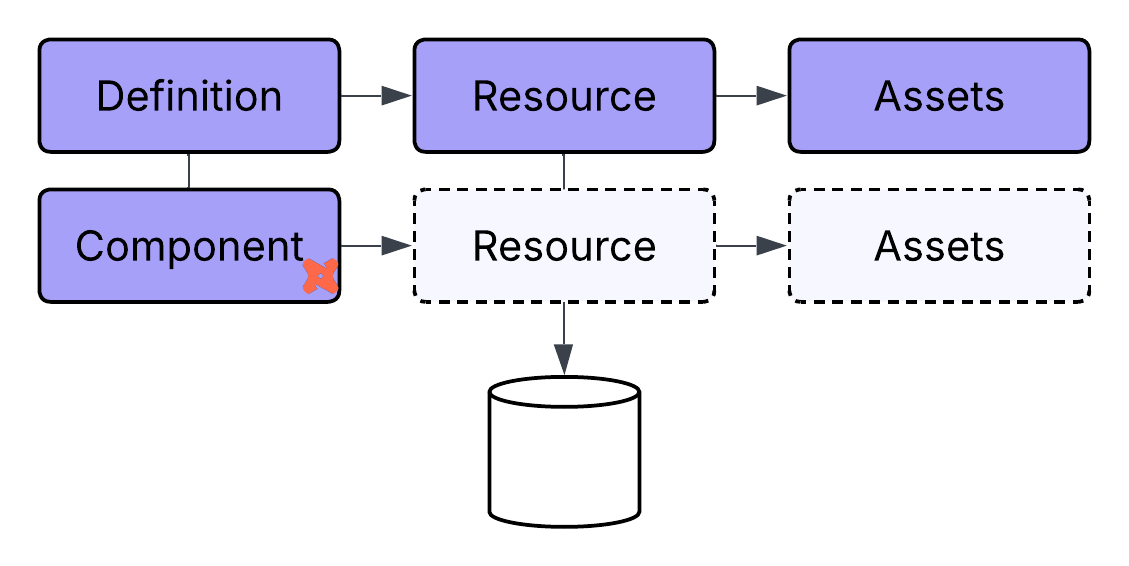
dg scaffold defs dagster_dbt.DbtProjectComponent jaffle_shop --project-path dbt_project
With the Component in place, the agent creates the dbt project itself: stg_customers, stg_orders, and stg_payments in the traditional staging format, each reading from its corresponding raw DuckDB table.
- Validation: throughout this process, the agent will alternate between
dganddbtCLI commands to verify that the structure confirms at each step rather than all at once at the end:
dbt parse --project-dir dbt_project --profiles-dir dbt_project
When dbt parse succeeds, the project compiles cleanly and Dagster can load it as assets.
dg check defs
What you see in the UI
Open the asset catalog (you can either ask the agent to do this or run dg dev from your Dagster project). You should now see six assets total: the three raw assets on the left (raw_customers, raw_orders, raw_payments) with arrows pointing right to the three dbt staging models (stg_customers, stg_orders, stg_payments).
Each arrow represents a dependency: a staging model can only run after its corresponding raw asset has loaded data. This is the lineage the prompt described, now visible in the graph. A new team member looking at this catalog would immediately understand the pipeline's shape, not from reading the code, but from looking at the graph.
There's still some cleanup to do: the dbt assets and raw assets share the same unlabeled space in the catalog, and the dependency wiring between them could be made more explicit. That's what the next section covers.
If something goes wrong
We can use the dagster-expert skill to handle any debugging before moving forward:
> /dagster-expert Help me debug my failed materialization. Share the error and logs, then fix the issue.
The agent can inspect logs, definitions, and resource config to fix path issues, dependency wiring, or dbt profile problems. That handoff (dbt skill to configure, expert to debug) is itself an example of skill chaining, and a preview of the pattern you'll use throughout this lesson.